Alt-Invest X is a system for automated financial model building for strategic budgeting, company valuation, and project finance. It creates customized models, verifies formulas, and provides ready-to-use templates where you only need to enter your data.
Standard manual templates require users to enter formulas, configure checks, and structure the model manually. This is time-consuming and increases the risk of errors. With Alt-Invest X, you get a data-ready model in just minutes.
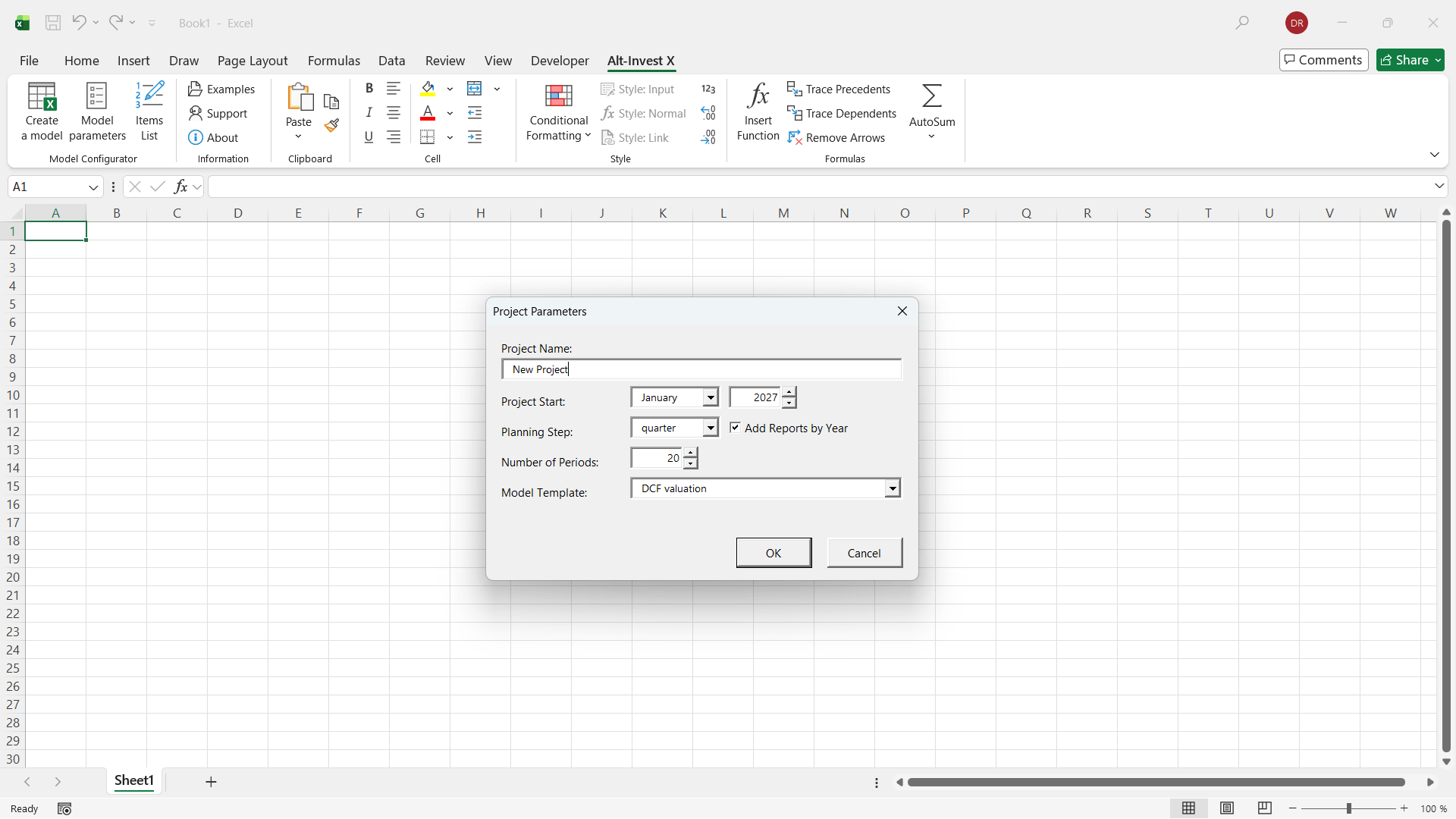
Open the Alt-Invest X tab in MS Excel, click “Create Model,” and select a template that fits your needs.
Set the planning step and planning horizon to adapt the model to your project timeline.
2
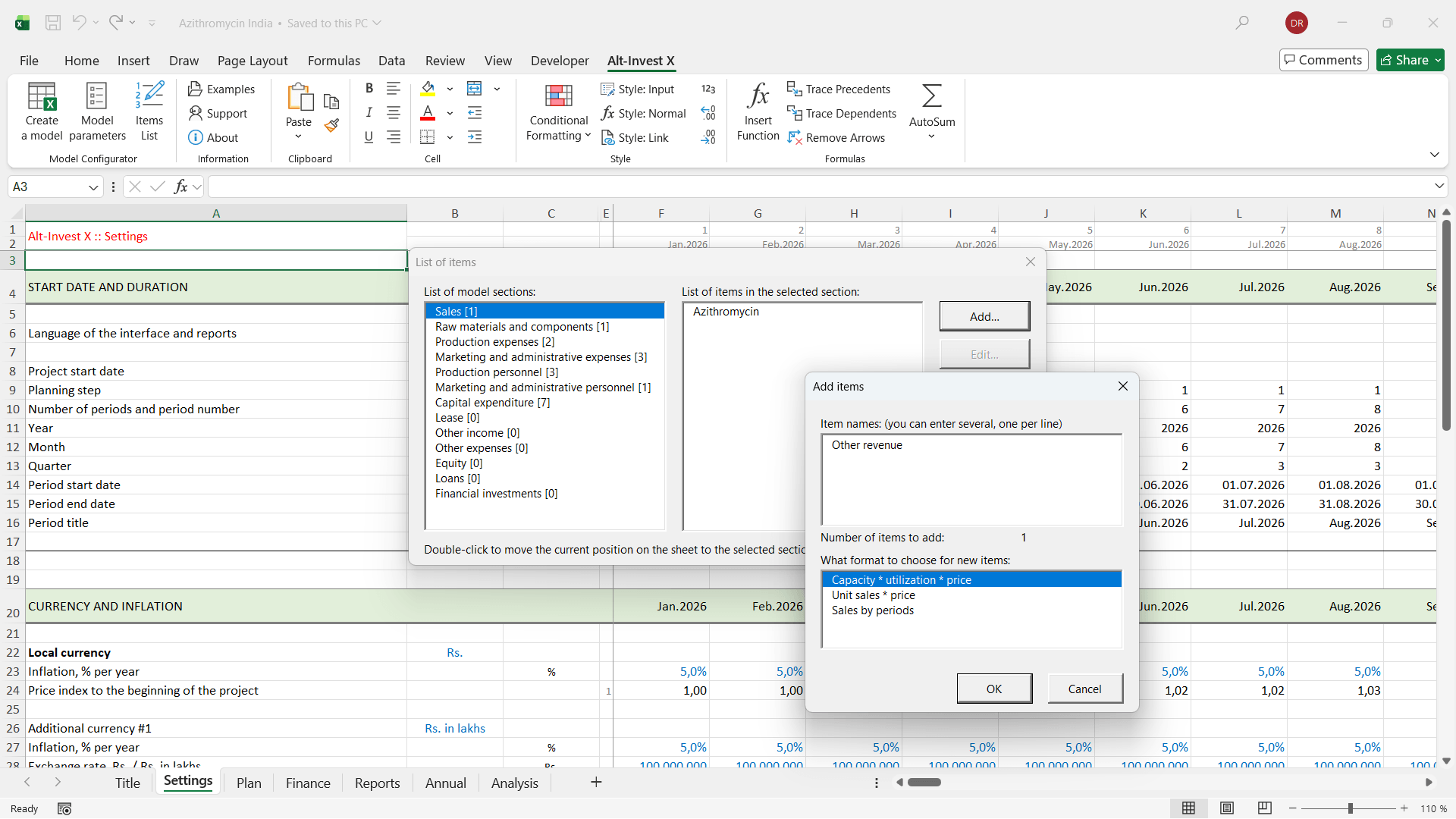
Fill in the tables with planning items using the available formats for revenues, costs, investments, and other model components.
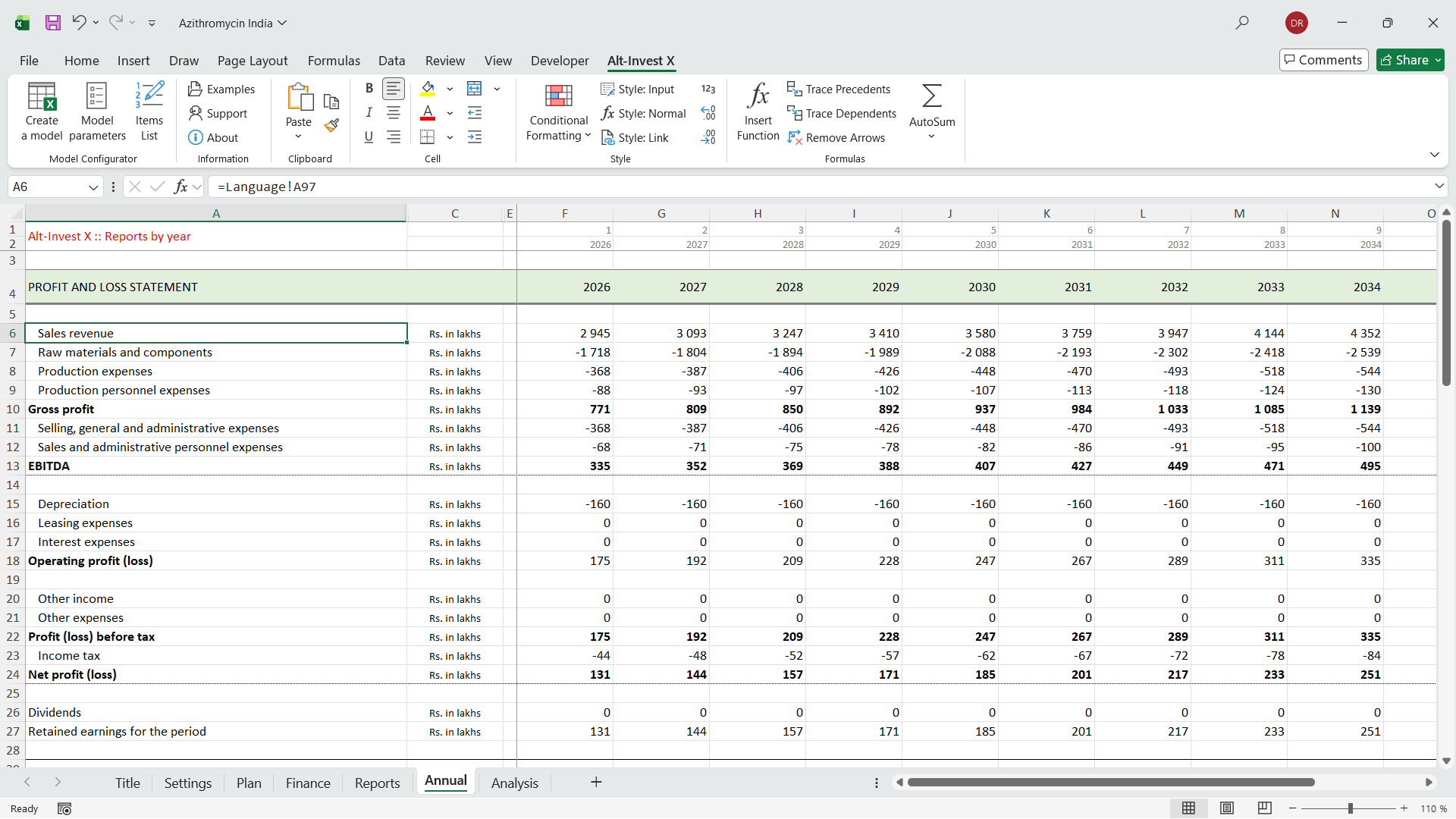
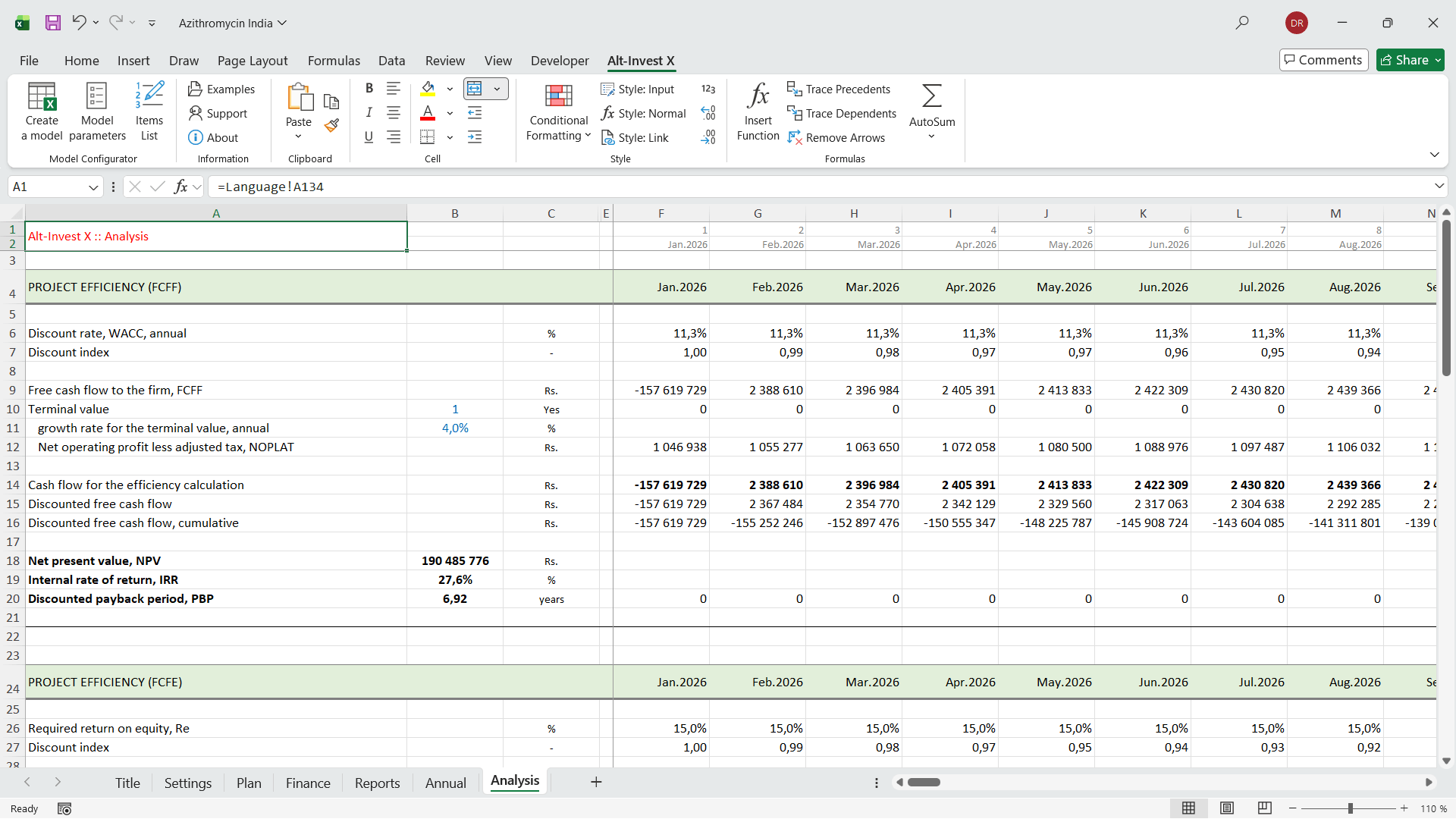
Your MS Excel model is now ready for your data. Enter your project assumptions, add reports and charts if needed, and share the results with investors.
3
Open the Alt-Invest X configurator at any time to modify the model structure, add new items, or remove unnecessary ones.
Why Alt-Invest X is unique
Fast and error-free
Alt-Invest X automates the key stages of model building: structure, formulas, links between tables, and calculations. It significantly reduces working time and eliminates common errors that occur when models are assembled manually.
Professional models
Alt-Invest X builds models based on best practices: transparent structure, clear calculation logic, accurate financial statements, and reliable performance indicators. The models are suitable for banks, investors, and internal corporate analysis.
No compromises
You work in MS Excel and receive a fully functional model with formulas — not a “black box.” The file can be edited, audited, and shared with others, just like a model built manually, but much faster.
Works in any spreadsheet environment
Prefer working in an online spreadsheet editor or another office application?
Even if the MS Excel add-in is not available, Alt-Invest X remains accessible. The product also includes a standalone application that works without MS Excel.